


Which are the best tools to increase a teams productivity? And how can you start implementing them now?

Back to Blog
Executive Summary
Productivity tools for teams are the software systems that help a workforce plan, communicate, track, and complete its daily work. Most of them were built for desk-based knowledge workers, which leaves a gap for the 2.7 billion deskless and frontline employees who run retail floors, warehouses, and field operations.
This guide explains what productivity tools for teams do, maps the main categories and where each one falls short for frontline work, and sets out five criteria for choosing tools that drive real execution. It wraps up with how vaibe adds a performance layer on top of existing systems.
Most companies invest heavily in software to manage data, logistics, and inventory, then assume the work itself will follow. It often does not. Global employee engagement is at 20%, with disengagement costing the world economy an estimated $10 trillion in lost productivity a year. The gap between a strategy and its execution on the floor is where that cost lives.
Productivity tools for teams are software applications that help a group of people coordinate, communicate, and complete work more efficiently. They cover task management, communication, scheduling, file sharing, workflow automation, performance tracking, and increasingly engagement and gamification.
The category splits along one line that rarely gets named: tools built for desk-based knowledge workers versus tools built for deskless, shift-based teams. Around 80% of the global workforce, roughly 2.7 billion people, does not work at a fixed desk. A retail associate managing a checkout queue or a picker filling orders will not open a project board mid-shift, so a tool that assumes desk time delivers little on the floor.
Frontline execution often breaks down when communication is inconsistent and completion is not verified. Data shows that 82% of frontline workers say better technology and controls would improve productivity by improving safety and communication. In practice, that means companies need tools that do more than distribute information. They need systems that make expectations clear, keep performance visible during the shift, and help teams act on priorities in real time.
Most teams already run several of these. Each solves a real problem, and each has a blind spot when applied to frontline execution:
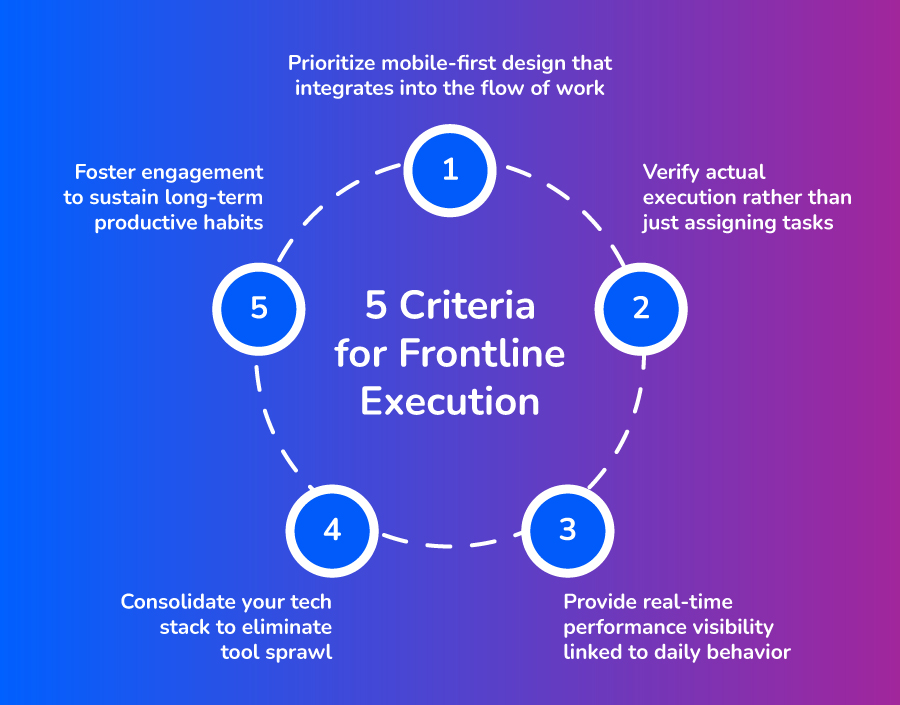
Evaluating productivity tools for teams comes down to one test: do they help work get completed, or only assigned? Five criteria separate tools that change behavior from tools that add another tab to ignore.
If a tool requires a desktop or steals time from a live shift, frontline adoption stalls. Prioritize software that works on a phone, loads in seconds, and fits the task in front of the worker. Offline capability matters in stores and warehouses with patchy connectivity.
The single most important feature for frontline teams is proof of completion: a photo, a time stamp, or a confirmation tied to a named owner. A tool that records intent without verifying the outcome leaves managers relying on memory and spot-checks.
When employees can see how their output compares to a target during the shift, they self-correct before it ends. The most useful visibility is granular enough to show individual and team-level data and framed around progress rather than surveillance. This is where vaibe adds a layer standard dashboards do not: it translates KPIs into daily challenges and leaderboards at the team level and delivers recognition the moment a target is hit, without waiting for a manager to be in the room.
Tool sprawl has become a productivity problem in its own right. SaaS portfolios grew 32% between 2021 and 2023, with organizations using 371 applications on average. For frontline teams, that level of fragmentation creates friction fast: more logins, more switching between systems, and less visibility into what work actually gets done.
Recognition and bonuses work on long cycles. Gamification makes performance motivating daily by turning targets into challenges, streaks, and milestones. Designed well, it builds habits in high-turnover roles where intrinsic engagement is chronically low; designed around controlling rewards, it can backfire into metric-gaming, so it should reinforce meaningful work, not replace it.
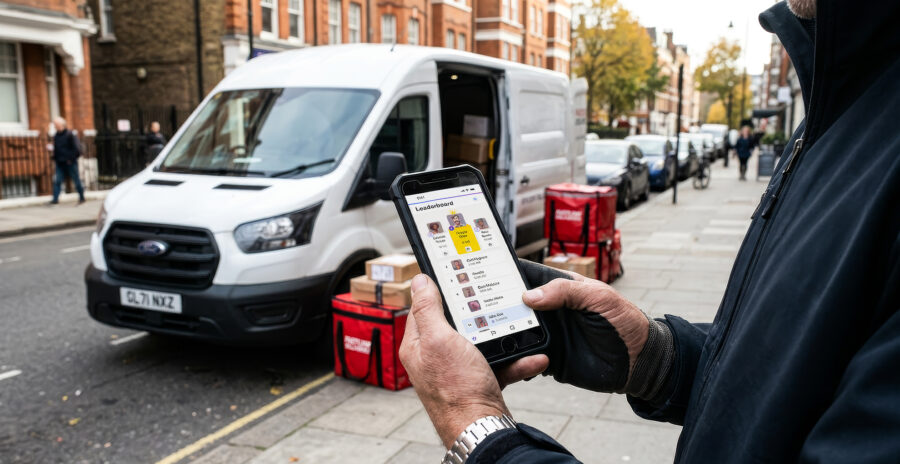
Jonny Fresh, a mobile laundry service operating across Germany and Austria, needed to improve driver efficiency on pickups and deliveries while strengthening communication with a distributed, on-the-road team. Standard scheduling tools told them who was working, but not how consistently each driver was hitting delivery windows.
Working with vaibe, Jonny Fresh layered gamified performance challenges onto daily delivery KPIs. Drivers could see their own punctuality in real time and earn recognition tied directly to on-time performance, and communication moved from scattered messages into a single channel built around those targets.
Results:
The shift was not a new routing system. It was making each driver’s performance visible and rewarding in the moment, so the right behavior repeated every day.
What are the best productivity tools for teams?
There is no single best tool, only the best fit for how a team works. Desk-based teams benefit from project management and collaboration platforms like. Frontline and retail teams need mobile-first tools that verify task completion, show performance in real time, and integrate with scheduling and operational systems. Match the tool to whether the work happens at a desk or on a floor.
How do retail teams use productivity tools for store rollouts?
For store rollouts, retail teams use productivity tools to distribute campaign briefs and checklists to every location, assign tasks to named owners, and verify completion with photos or time stamps before a launch goes live. Real-time dashboards let area managers see which stores are ready and intervene early, replacing verbal briefings and paper checklists that leave headquarters blind until performance data arrives weeks later.
What is the difference between collaboration tools and communication tools?
Collaboration tools are built for groups co-creating documents and decisions, and assume regular computer access. Communication tools push information out to distributed teams through mobile messaging and alerts. Collaboration tools keep desk teams aligned; communication tools make sure a message reaches a worker who has no desk.
Do free productivity tools work for frontline teams?
A free plan can be enough to test a single workflow or a small team, and many project management tools offer one. For multi-location frontline operations, free tiers usually cap the users, integrations, and verification features that matter most, so a paid plan is typically required once execution visibility across locations becomes the goal. Pilot on a free or low-cost tier first, then measure adoption before committing.
How does gamification improve team productivity?
Gamification turns daily KPIs into visible challenges, streaks, and recognition, giving employees a concrete reason to improve in the moment rather than waiting for a quarterly review. The effect is most reliable when game mechanics are tied to meaningful work and reinforce autonomy and progress. Organizations using vaibe have reported productivity gains in the 5 to 11% range, alongside improvements in accuracy and attendance.
Share:


Frontline workers face many challenges, and companies who seek long term success need to address these challenges in order to create motivated teams.
Learn how intrinsic and extrinsic motivation can be increased with the right tools in any team.
Discover how gamification enhances your software offering, drives customer engagement and productivity and sets your platform apart in the market.
Learn how a gamified solution can engage employees, reduce turnover, and enhance last mile delivery productivity.